
Looking for the Sprint MiFi? Click here
I’ve been reviewing at www.mobile-broadband-reviews.com for about a year and six months.
During that time I’ve seen quite a number of broadband cards and devices. Everything from the smallest broadband card ever created to snazzy netbooks with embedded 3G chips.
I’ve literally answered hundreds of e-mails from you and gotten excellent feedback.
Taking that into consideration it is my ethical and moral responsibility to express to you the following:
The Verizon MiFi 2200 by Novatel wireless is the hottest piece of equipment I’ve seen in mobile broadband period.
If you whip this bad boy out in an airport, coffee shop, library, at work, in a board room meeting, or just around anyone with the pulse, be prepared to experience the wow factor. Feel free to take the time to explain how you became such a cool person with such a device. That being said, I’ll try my best to keep this an unbiased review.
The reason the Verizon MiFi 2200 oozes coolness is because it’s literally a mobile broadband hotspot. It’s like a sleek portable wireless router that you can use anywhere in the country without plugging into a wall.
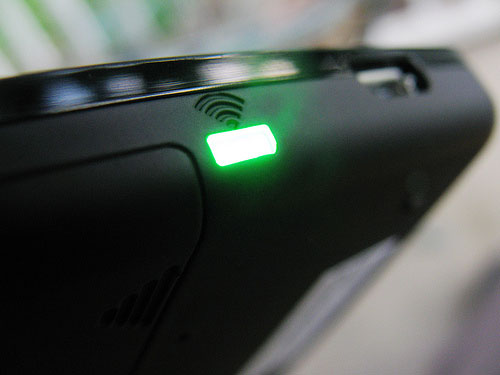
The Verizon MiFi 2200 will connect any 5 WiFi enabled devices.
It’s perfect if you’ve got a laptop as well as a iPhone/Blackberry plus a friend that needs to get online.
Unlike broadband cards, you don’t have to plug it into your laptop. It simply connects via WiFi. That also means can connect your laptop, iPhone, iTouch, Blackberry, MP3 player, digital camera or other WiFi enabled device. The possibilities are becoming endless.
So What Does It Look Like? (Aesthetics)
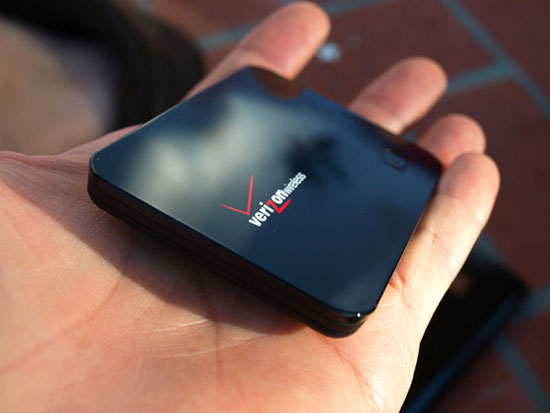
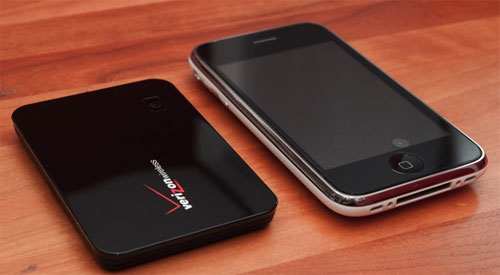
With its black metallic finish, the Verizon MiFi 2200 is just a bit smaller than an iPhone and screams, I’m a cool executive with serious work to get done. At such a small size, it’s more than plausible to be able to carry the Verizon MiFi in your pocket as you cruise down the highway at 80 mph.
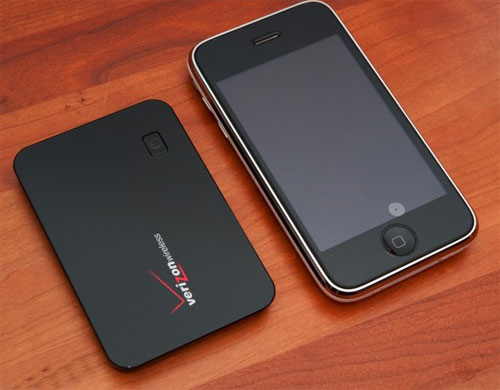
The MiFi 2200 is smaller than the iPhone and a bit larger than a business card.

To give you a better visual of exactly how big it is, the MiFi 2200 is about the size of a few credit cards stacked together and weighs just over 2 ounces.
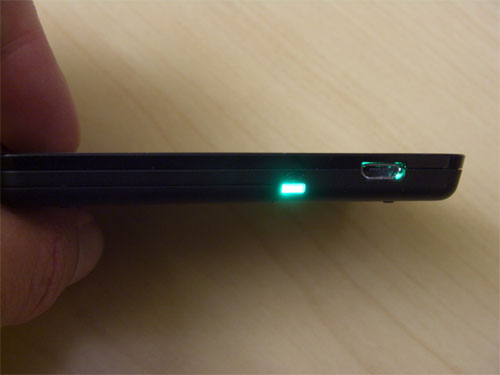
The Verizon MiFi is very portable. Easily fitting into the palm of your hand, it be kept in a top pocket, laptop bag or purse.
To give you a better visual of exactly how big it is, the MiFi 2200 is about the size of a few credit cards stacked together and weighs just over 2 ounces. Check out this unboxing video below to see what it’s like fresh out the case.
The Verizon MiFi 2200 is about the size of a credit card and as thick as 4 credit cards stacked together. It ships with a rechargeable battery, microUSB (not mini) cord, wall charger, & setup info. There’s no CD as the software is actually preloaded on the MiFi.
How Fast Is It? (Functionality)

Verizon mobile broadband speed is similar to DSL and about ten times faster than using dialup.
“With a Verizon Mobile Broadband Card, you get average download speeds of 600-1400 Kbps, peaking at 3.1 Mbps, and 350-500 Kbps average upload speeds, peaking at 1.8 Mbps. Similar to DSL, and about ten times faster than using a dial-up modem”
While this is technically true, alot of you tend to ask how fast a specific card will be. While the individual card does not usually affect the speed (so long as it’s EVDO Revision A). With the Verizon MiFi 2200, your speed will naturally decrease as you have more devices connected that are actively using the connection. To put it in perspective, think of 3 to 5 people using hot water in the house at the same time. It’s just going to run out faster than if one person was using it. The same goes with for the 5 GB cap with the Verizon MiFi.
The speed can also vary depending on location. As I explain in Lesson 8: Who’s The Fastest (Wireless Broadband Exposed), Sprint has the best speeds overall. For now, they have a double whammy on speed and coverage, two of the biggest concerns mobile broadband users have.
A couple real world applications that work well are email, web surfing, sending large attachments, video streaming, music streaming, and online gaming. I’ve personally used my EVDO Rev. A broadband card from Sprint for all of the above. The latency is much better than I would expect for online gaming. From Real-Time Strategies to First Person Shooters, it handles it pretty well.
How’s The Coverage? (Functionality)

Verizon’s mobile broadband network rivals Sprint (the largest mobile broadband network). Add the fact that they’re the most reliable and you have a winner. This MiFi runs on Verizon’s Mobile Broadband network. After some reviewing that I cover in great detail in Lesson 10 of Wireless Broadband Exposed, you’ll see how Verizon holds its own in nationwide coverage.
If you’re thinking about personal coverage (from your laptop to the device), the MiFi’s personal is about 33 feet.
Don’t expect to park your car across the street, walk inside your house, go up stairs and still be connected. It’s more reasonable to believe that it will work across the length of the large living room. Remember, it’s a personal hotspot not a public one.
What’s Nifty About It? (Cool Factor)
 For people that rely on mobile broadband as their only connection, this is a gift from the heavens. Did I mention that it’s a mobile hotspot that you don’t have to plug into?
See, the coolness of the MiFi 2200 is what you can do with it that was not possible before. It would’ve cost you $200 or more for a 3G router that does the same thing as the Verizon MiFi.
Now, you can connect not just your laptop but your phone, digital camera, and any other WiFi device you have without additional equipment.
For people that rely on mobile broadband as their only connection, this is a gift from the heavens. The folks who live in fringe areas and can’t get cable internet or DSL will rejoice at not having to drop cash for extra equipment.
If you’ve heard of the Verizon MiFi, then you’re probably aware of the Sprint MiFi 2200. Not quite as widely publicized is a GSM version on the way that may land on AT&T and/or T-Mobile’s network(s). While the Verizon MiFi 2200 is the older brother of the two MiFis, the Sprint version comes packed with a couple features that the Verizon version doesn’t have.
While I would normally give you some screenshots, I’ll spoil you today with a youtube video that shows how simple setting up is.
There are a few simple steps to setting up. First, you plug the MiFi into your laptop. Next, install the pre-loaded software. Lastly, connect to the MiFi network.
That’s it.
Naturally, the security is the same level of security offered by other Wi-Fi networks available today. Whether or not you use the WEP (not recommended) or WPA-PSK (recommended) wireless security is up to you. With the right settings, you won’t have much to fear.
Just remember, while it’s impossible to safeguard against every possible threat, no security is like leaving the front door to your house unlocked. Try it if you want to get robbed.
The last nifty feature we’ll mention is that most people will find that it’s even easier to use than a broadband card. You don’t have to worry about if you should get an ExpressCard, PC Card or USB card. So long as you’ve got WiFi, you’re good to go regardless or PC, Mac or Linux since it bypasses the problems of operating systems through using WiFi.
Once you can set it up, you’re good to go.
The Official Tech Specs
With Mobile Broadband Service and WiFi capability, the MiFi 2200 enables you to take full advantage of America’s largest and most reliable 3G network! The MiFi 2200 enhances the Mobile Broadband Service experience by also providing a wireless hub for up to five WiFi-enabled devices at one time – multiple users can take advantage of an instant hotspot. And with its compact and lightweight form factor and rechargeable battery, provides the ultimate in on-the-go flexibility
MiFi™ 2200 Intelligent Mobile Hotspot (Verizon Wireless)
- Mobile Broadband
- WiFi Access for up to 5 Devices Simultaneously
- 2-way Text Messaging Capable
- USB Port Compatibility
- VPN Compatible
Included Accessories
- VZAccess Manager™ and User Guides (on device)
- Quick Reference Guide
- MiFi Connect Card
- Lithium-Ion Battery
- USB Cable
- Wall Charger
- Protective Pouch
Are There Any Drawbacks?
There are a couple drawbacks to the Verizon MiFi 2200.
The first and most notable is having a 5 GB cap to share amongst a potential five devices. Just on this site alone, e-mails pour in users going over the 5 GB cap. If they are pulling more than 5 GB with just one laptop, overcharges could potentially get ridiculous with multiple devices. I highly recommend taking the free “Mobile Broadband Buyer’s Guide” for ‘Lesson 3: The Infamous 5GB Cap’
It’s important to note, that the WiFi functionality switches off once you plug it into your laptop for tethering. That’s no good are running low on battery power and had multiple devices connected. While you could plug into the wall, sockets (in a car or crowded airport) may not always be available. In a wise move the Verizon MiFi does ship with a USB cable (unlike the Sprint MiFi 2200).
How Much Does It Cost & Where Can I Get It?
All in all, the MiFi 2200 is a very solid device. It is the only mobile broadband device that I personally consider upgrading for. Being a person that appreciates aesthetics as well as functionality, I give the Verizon MiFi 2200 my personal recommendation.

The Verizon MiFi 2200 is for free without using any rebates. A sweet deal indeed.
If you pick it up through our partner, you’ll be feeding me, the starving webmaster at the same time. Talk about win-win. I get food and you get the shiny new black toy for free.
Need more info? Check out the rest of the mobile broadband reviews.
Jamillah Warner says:
Thanks for this Verizon Mifi review. Helpful.
Marc says:
Sure thing Jamillah. I’m glad it could help. Great picture
Ron Meyer says:
Our Verizon MiFi 2200 worked with both of our computers if we were within five feet for the first month and now only works with the computer that it is plugged into with the USB port.
michelle says:
Mine 2!!! wth? they even sent me a replacement device… which is doing the exact same thing… is the inevitable or is there something i can do?
Stuart says:
Mine was difficult to connect right away. That was the good part. Now three days later it doesn’t work at all. Glad they don’t make cars.
Ric says:
the product is garbage at best. my android phone is much faster and less temperamental. i’m only using it for ipad connection. god forbid i connect a second device like the macbook. i am cutting this contract short and soaking up the loss. this is absolutely not worth it to me.
Ric says:
one more thing, the darn thing goes dormant regularly. what kind of device just halts your connection mid-stroke with no warning or indication of when it will be back up and running. i just can’t believe i bought this piece of crap.
Brent says:
The Thing worked well for about 18 months but then it went dormant after about 45 minutes and the only way to get rid of that was to reinstall the program.